Linux command structure
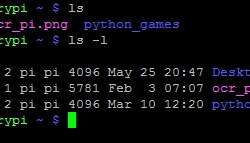
Previously we looked at simple terminal commands like ls, cd. We know that ls output all files in the working directory. But in practice, command without options and parameters is almost useless. You may need to list special files or list files from the specified directory in more complex situations without going to it. This is why UNIX commands are run with options and parameters command [options] [parameters] There can be more than one option and parameter for a single command. For instance, we used a cd .. command to go to the previous directory. Dots .. are nothing more than parameters. Let’s see what parameters we have with the ls command. ls -l It displays a list of files in a long format. You can see that we get much more information by adding a simple option -l. Let’s say we want to display files in a long format from a different than a working directory. Then we need to type in the path to the directory as a parameter.