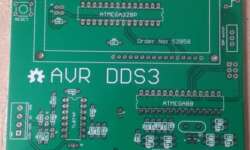
AVR DDS3 boards have arrived

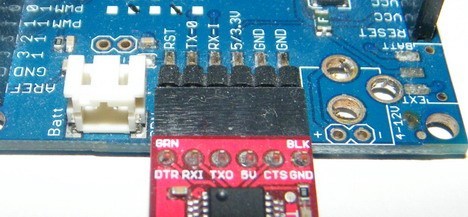
Finally, some updates on the AVR DDS3 signal generator. The circuit is practically done, and PCBs are made. I decided to go with two microcontrollers on board to make it more functional. One microcontroller, Atmega328P, is gonna be dedicated to user interface and signal generator control. The second Atmega88 is gonna be used for signal generators only. This will give un-interruptable signal output while changing parameters or simply doing signal sweeps.

Continue reading

12V solar charger using LM317

[Alex] decided to build a solar charger for his car battery. He had an 18V solar panel able to provide up to 83mA. You cannot connect the panel directly to the battery because charging voltage cannot exceed the allowed safe limit, and also solar panels may become a load for the battery in a dark time, and this way discharge it. So he ended up with a simple circuit utilizing LM317 and a couple of resistors setting voltage so that battery would be charged at the recommended 13.2V. To prevent back supply, a Schottky was used. Of course, it adds some voltage drop (0.7V worst case). This was taken into account while calculating voltage adjusts resistor divider. As a test [Alex] left a solar charger for three days connected to his battery, and it charged up to 12.35V which is about 75% of capacity. Not bad at all.

Continue reading

Downloading binaries using STM32 ST-Link Utility

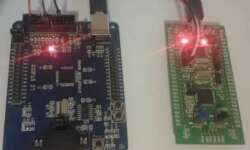
As you may know, ST also produces its own debugger/programmer called ST-Link. It supports JTAG and SWD interfaces. You can purchase an ST-Link USB adapter, but there is a better option if you are into STM32 microcontrollers and probably own one of the ST32 Discovery boards. Since I have STM32VLDiscovery nearby, this is how to program another STM32F103RBT6 board using only four wires. On the discovery board, locate CN3 jumpers and disconnect them as they connect the discovery board to a debugger.

Continue reading

Flashing STM32 using J-Flash ARM

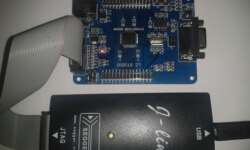
Last time, we covered the topic of flashing STM32 microcontrollers using the bootloader, which is the most comfortable and cheapest way of loading programs into MCU memory. But this isn’t the only way of doing this. The firmware can also be downloaded using the JTAG adapter, which is also used for debugging. This time we are not digging into debugging but staying only with programming. J-Link software You can download the latest J-Link software from the Segger Download page. You will be asked for an adapter serial number which can be found on the backside of the J-Link adapter.

Continue reading

Microcontroller based apps for android mobile phones

Smartphone devices are as valuable as there are some useful apps there. So I started wondering if there are electronics/microcontroller-related apps that could be useful in daily work. Let’s see what we can find in an in-app store. First of all, we are interested in free apps. Search on AVR microcontrollers gave me coupe results: AVR Fuse Calculator and Using Atmega128 apps. Let’s see what they are capable of.

Continue reading

Adding self power down functionality to your devices

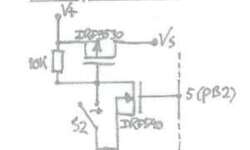
The power-down feature is convenient on battery-operated devices. For instance, most of the multimeters already have this feature allowing them to self turn off when there is no activity for some time. Check out this simple solution, which uses a pair of FETs and resistors. It was initially made for the Atmega328 project because the author didn’t want to bother with AVR power-down modes. Instead, he used this simple circuit. It can be used to turn the device on with the switch. This is where the P-FET part plays a role and turn off with N-FET. Turn Off signal wire comes from AVR pin market as 5. While the device is powered, N-FET has to be on with a high gate signal. When the N-FET gate signal goes low device turns itself off. This can be used on any device where possible to get such signal conditions. Or use in microcontroller circuit by adding some delay count after inactivity.

Continue reading

Interrupt driven AVR USART communication

avr usart

Simple USART routines are not always practical because waiting transmitting buffer to be ready in a simple loop occupies processor resources. If we do not know when data will be received, we are just wasting resources inside the waiting loop. Another issue arises when multiple data bytes have to be sent/received. In this case, we have to write complex code to deal with the data flow. Since the microcontroller’s specialty is interrupting, it is better to use them to handle communications, improving overall performance and energy saving. Instead of continuously checking if there new data received in the UDR register or checking if send buffer is free, lets us write a more effective USAR communication code with a guardian, which would wake the MCU if it has received a byte via USART. On the other hand, Interrupt mode allows performing other tasks at total capacity while waiting for USART interrupt. Let us implement interrupt driven AVR USART communication example.

Continue reading