




Image editing isn’t what it used to be. Not even close. A few years back, editing a photo meant dealing with layers, masks, selections, color adjustments, and a dozen other controls most people never really figured out. Now? You can pretty much just say what you want changed. In plain words. And the AI takes it from there.
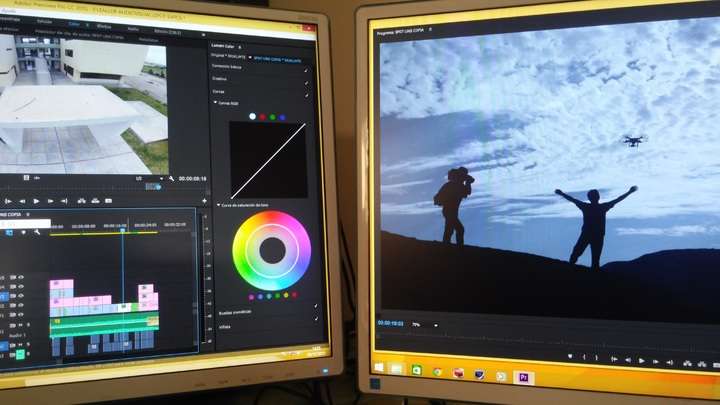
Nano Banana 2.5 is one of the names people keep bringing up here. It’s an image-editing system built around AI-assisted visual manipulation. The big difference is how it looks at a picture. It doesn’t see a bunch of separate technical bits. It sees the whole scene, the context, and then responds to what you ask about objects, backgrounds, composition, lighting, or style. That’s a big deal for designers, content creators, marketers, educators, and honestly, just regular people too.
What Is Nano Banana 2.5?
Put simply, Nano Banana 2.5 is AI-based image editing tech. It uses generative models to understand what’s in an image and then change it. No more fiddling with every tiny adjustment by hand. You just tell it what you want.
Maybe there’s something in the shot that shouldn’t be there. Maybe the background needs to go, or one element needs a different look, or you want a fresh variation of a photo you already have. The AI works out what you’re asking for, and it keeps an eye on everything around that spot while doing it.
This all ties into a bigger shift called instruction-based image editing. The idea’s pretty simple. People describe the result they’re after in natural language instead of leaning entirely on old-school editing commands.
How AI Image Editing Works
First, the editor looks at the image. Really looks at it. It picks out the objects, the colors, the textures, how things relate to each other, and where everything sits. Then you give it an instruction, and the model has to figure out two things. What should change. And what definitely shouldn’t.
That second part? It matters a lot. Good editing isn’t only about making something new. It’s also about keeping the stuff from the original that’s supposed to stay put.
Here’s an easy example. Someone asks the AI to change the color of a jacket. Fine. But the person’s face should still look the same. Same pose. Same background. Same lighting. At least, that’s the goal. The better models try hard to keep all of that intact while still making the change.
So a Nano Banana 2.5 image editor sits right in this wider world of AI-assisted visual editing, where plain-language instructions are just part of how creative work gets done now.
Common Applications
There’s no shortage of places this comes in handy. Content creation’s the obvious one. Social media creators constantly need different versions of the same image, for different platforms, different sizes, different audiences. AI tools help reshape that material so nobody has to rebuild every single version from scratch.
Designers get a lot out of it too, especially early on. Generative editing makes it easy to try things. A different background. A new style. Another layout. Moving an object somewhere else. Try a few, see what works, then put real time into the direction that’s actually worth it.
E-commerce is another big one. Product photos almost always need something, whether that’s a cleaner background, a more consistent look, or a different setting altogether. AI-assisted tools can take a lot of that repetitive editing off people’s plates.
Teachers and students can use it for presentations, illustrations, class materials, and visual explanations. And plenty of people will just use it to fix up their own photos. Or mess around and get creative. Nothing wrong with that.
Natural-Language Editing and Creative Control
If there’s one change that really stands out, it’s this whole natural-language thing. Old software expected you to know exactly which tool to grab and how to use it. With AI, you just describe what you’re going for.
That doesn’t mean you can switch your brain off, though. People still need to check what comes back, spot what’s wrong, and tweak their instructions. AI edits sometimes change things nobody asked for. Details get warped. And a vague instruction can get read in a way the user never meant.
So in practice, AI editing is a bit of a back-and-forth. You describe the edit. You look at what you got. You adjust the instruction. Then you check the new version.
Limitations to Consider
For all the progress, these tools still aren’t perfect. Busy, complicated scenes are tough to edit accurately. Overlapping objects, odd angles, fine textures, tiny details — that’s where things tend to get messy.
Consistency’s another headache. The AI might hand back something that looks great, but it quietly changed something that was supposed to be left alone. In professional design, product photography, branding, or documentary work, that kind of slip can be a real problem.
Then there’s the question of authenticity and using these tools responsibly. Editing a photo can change what it actually says. So people should ask themselves whether an edited image could mislead whoever’s looking at it. In professional or journalistic work especially, being upfront about big changes really matters.
The Future of AI-Powered Image Editing
Chances are, AI editing is going to end up baked into the creative software people already use every day. Future versions will probably give more precise control over individual objects, hold on to original details better, understand trickier instructions, and stay more consistent across a whole set of images.
The general direction’s pretty clear. Editing is moving away from doing everything by hand and toward a mix of human direction and machine help. People focus on getting their creative idea across. The AI handles a chunk of the technical grind.
But people are still very much needed. Creative choices come down to context, purpose, taste, and judgment, and you can’t always squeeze all of that into one quick instruction. AI can make experimenting and producing work a lot faster. Still, how good the final image turns out depends mostly on how thoughtfully someone uses the tool.
Conclusion
Nano Banana 2.5 is part of a much bigger story. Image editing is becoming more accessible, and it’s increasingly driven by simple instructions. By pairing image understanding with generative power, today’s AI tools make a lot of editing jobs easier to tackle, even for people without much technical know-how.
As this tech keeps growing, what’ll really count isn’t just how realistic the results look. It’s whether these tools can keep the important details intact, follow instructions precisely, and give people real, meaningful control over their creative work.